The control room for your operations
The Booth connects to the tools you already use and prioritizes your day across every workstream. Manage your tasks, contacts, and calendar from one place. Every change you make is pushed back to the tool where that work lives.
Connect your tools. Streamline your day.
Connect your CRM, mailbox, calendar, or other tools. The Booth prioritizes your day against the goals you set.
Step 1
It reads the systems you already use
Choose the systems it can reach, and how much of each one it can see. A mailbox, a calendar, a CRM, a backlog—whatever tools are already in your stack.
Step 2
It automatically prioritizes your day
Set your capacity and the rules for work priority. The Booth interleaves each workstream around those settings.
Step 3
It writes your updates back
Make an update in the Booth and it writes through to your systems of record. If it can’t write something, it tells you.
Today
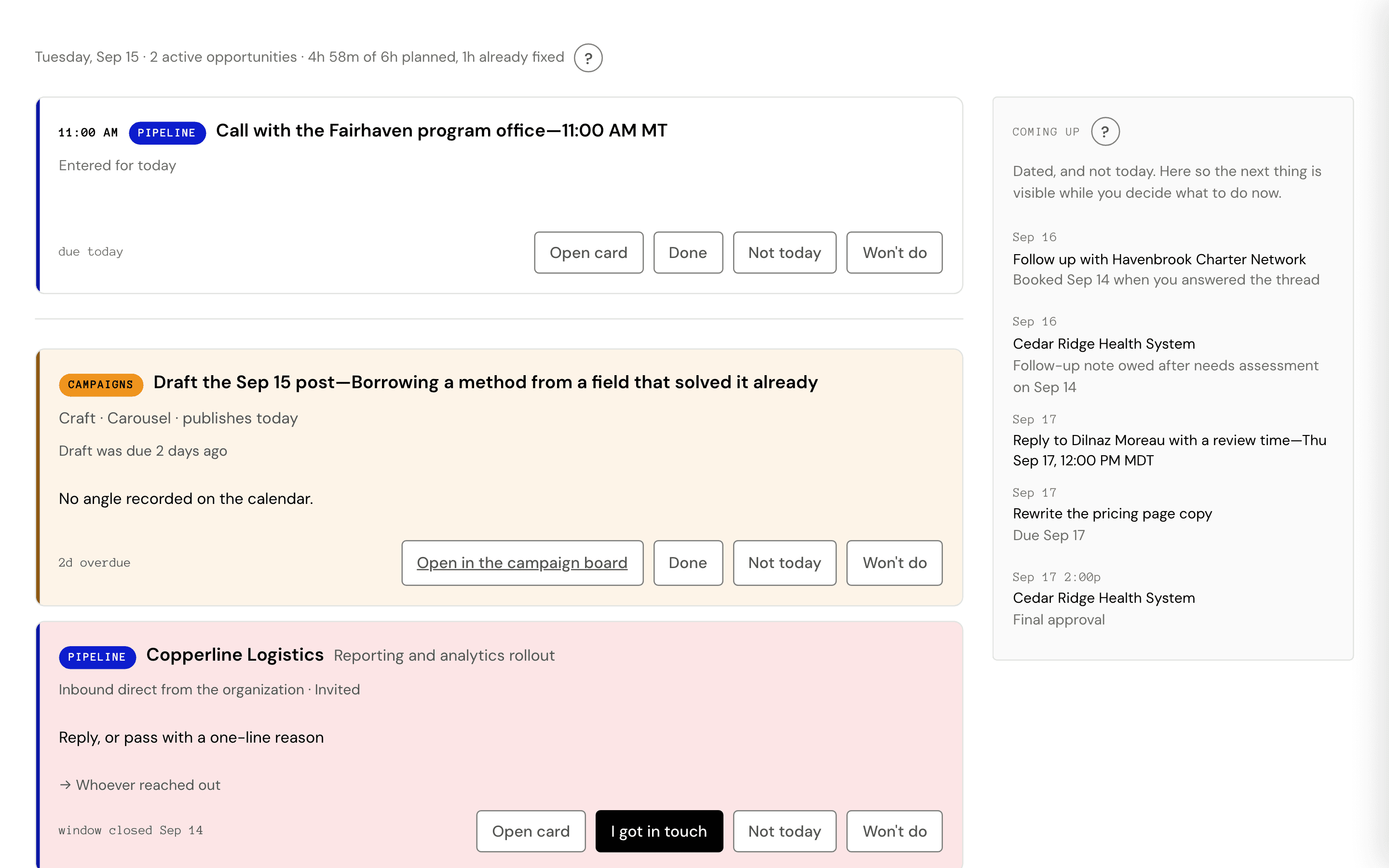
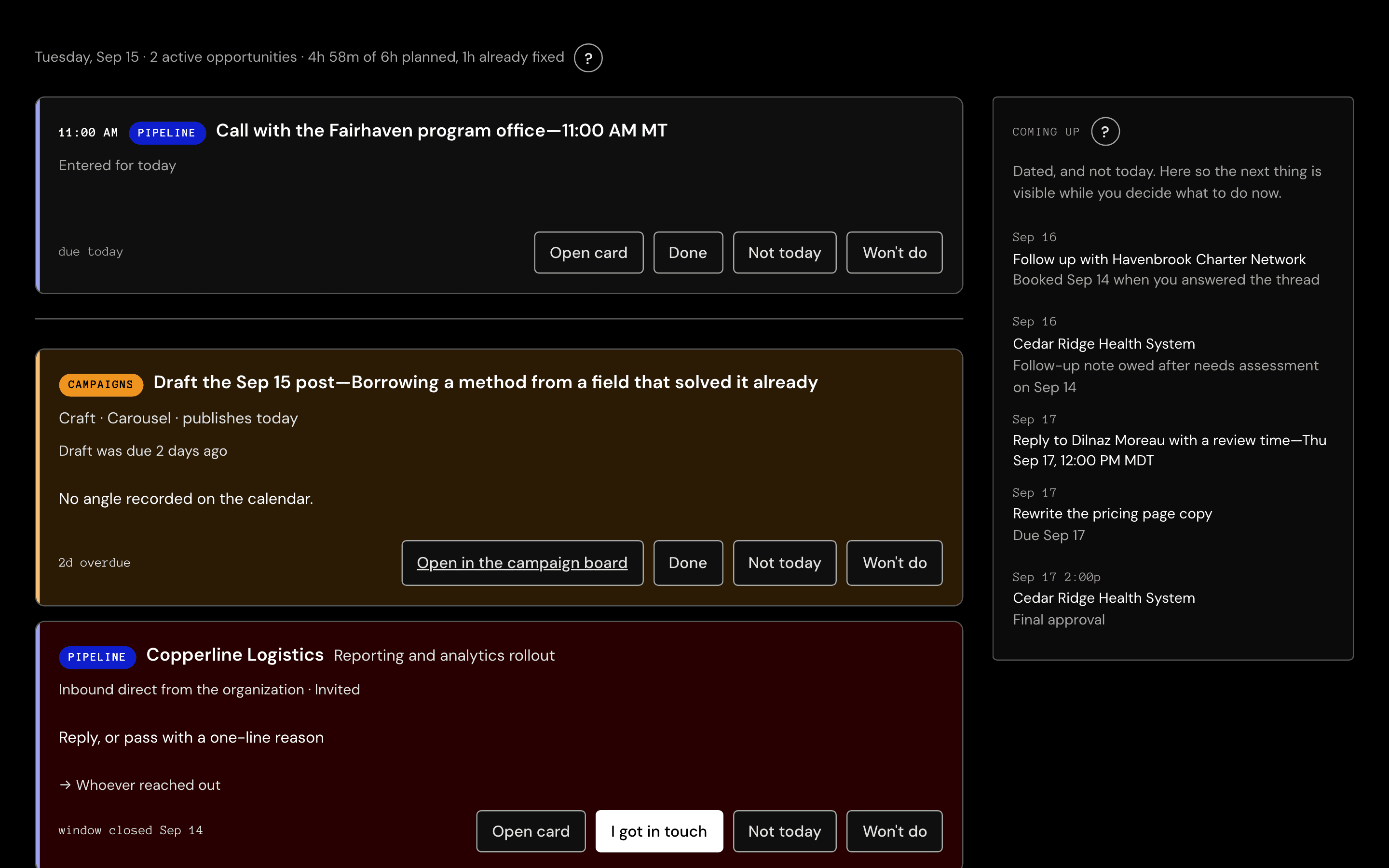
The Booth’s homepage. Your prioritized day at a glance.
See your daily task list, your standing routines, and what is coming up. Each card tells you what workstream it came from and has the functionality to handle it without leaving the page. Anything with a fixed time sits at the top, and the rest of the day is arranged around it.
Today, with the day’s fixed points at the top and the budget already spent against them. The calendar
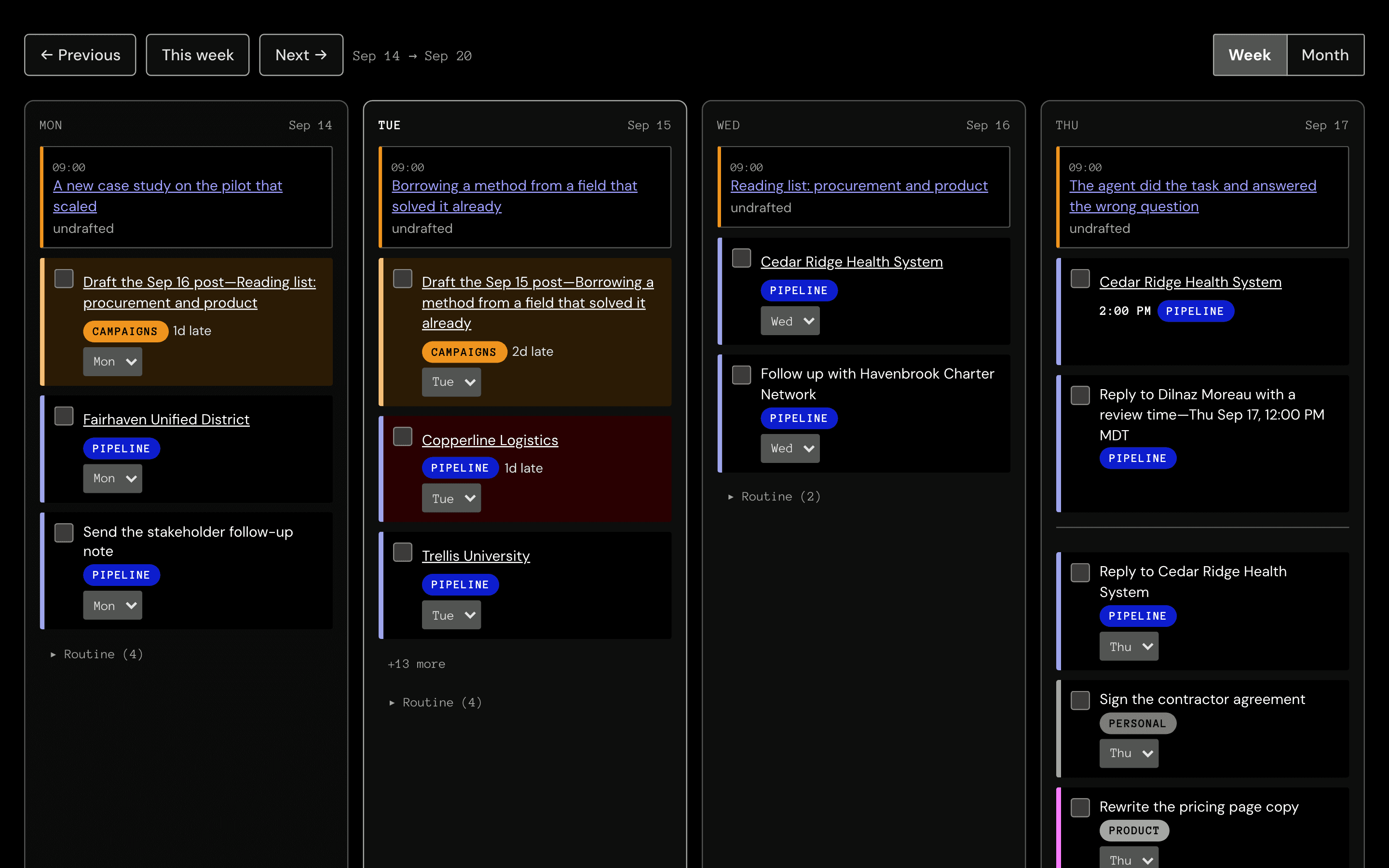
Your week or month of work in one view, including a full record of prior work.
Drag tasks between days to reorder priorities, clear a crowded day, or pin work to a date yourself. Recurring work sits in its own band, so it never blocks your view of the rest of the day.
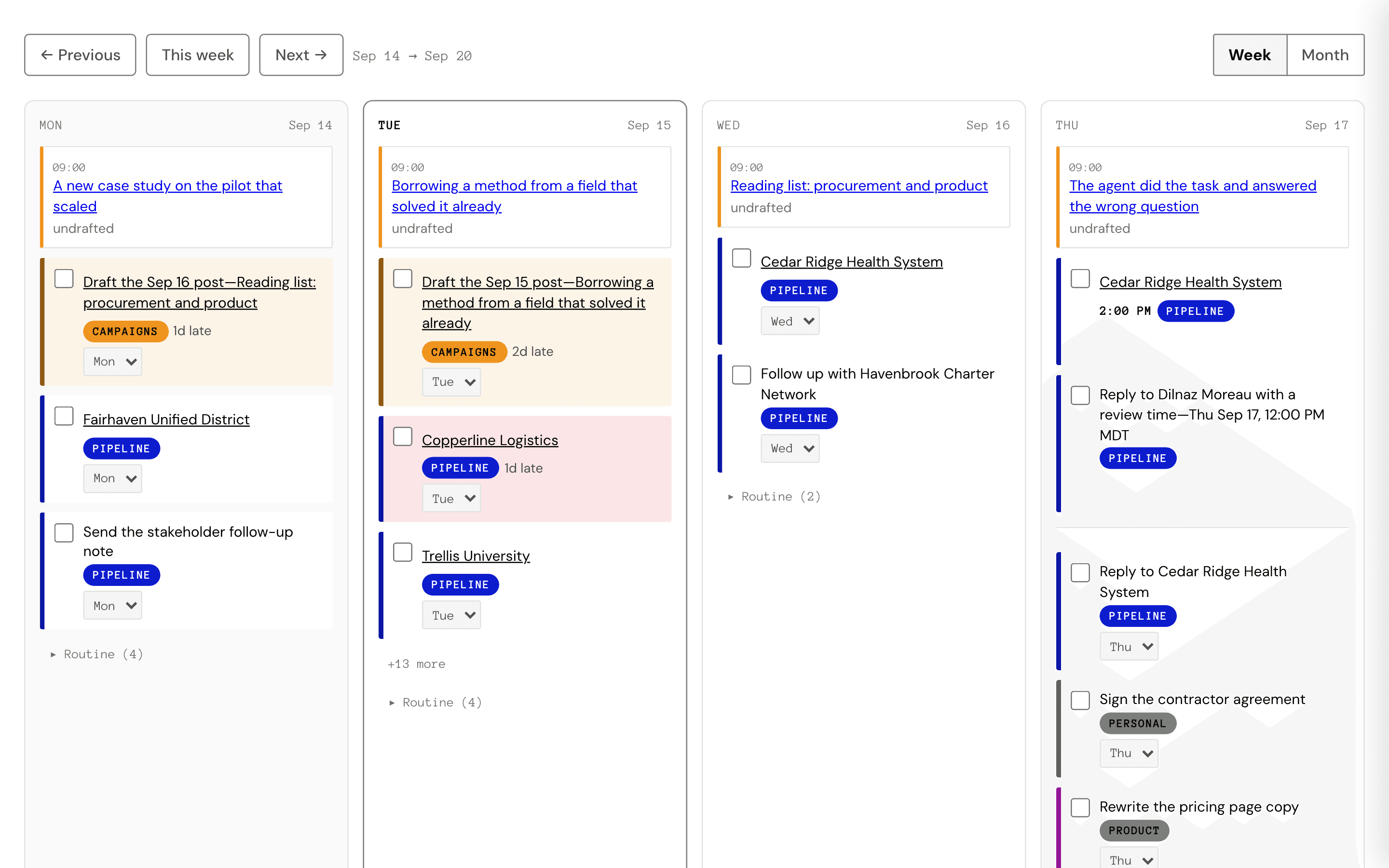
The calendar. Dragging a card takes the day, because a card’s position is its date. The network
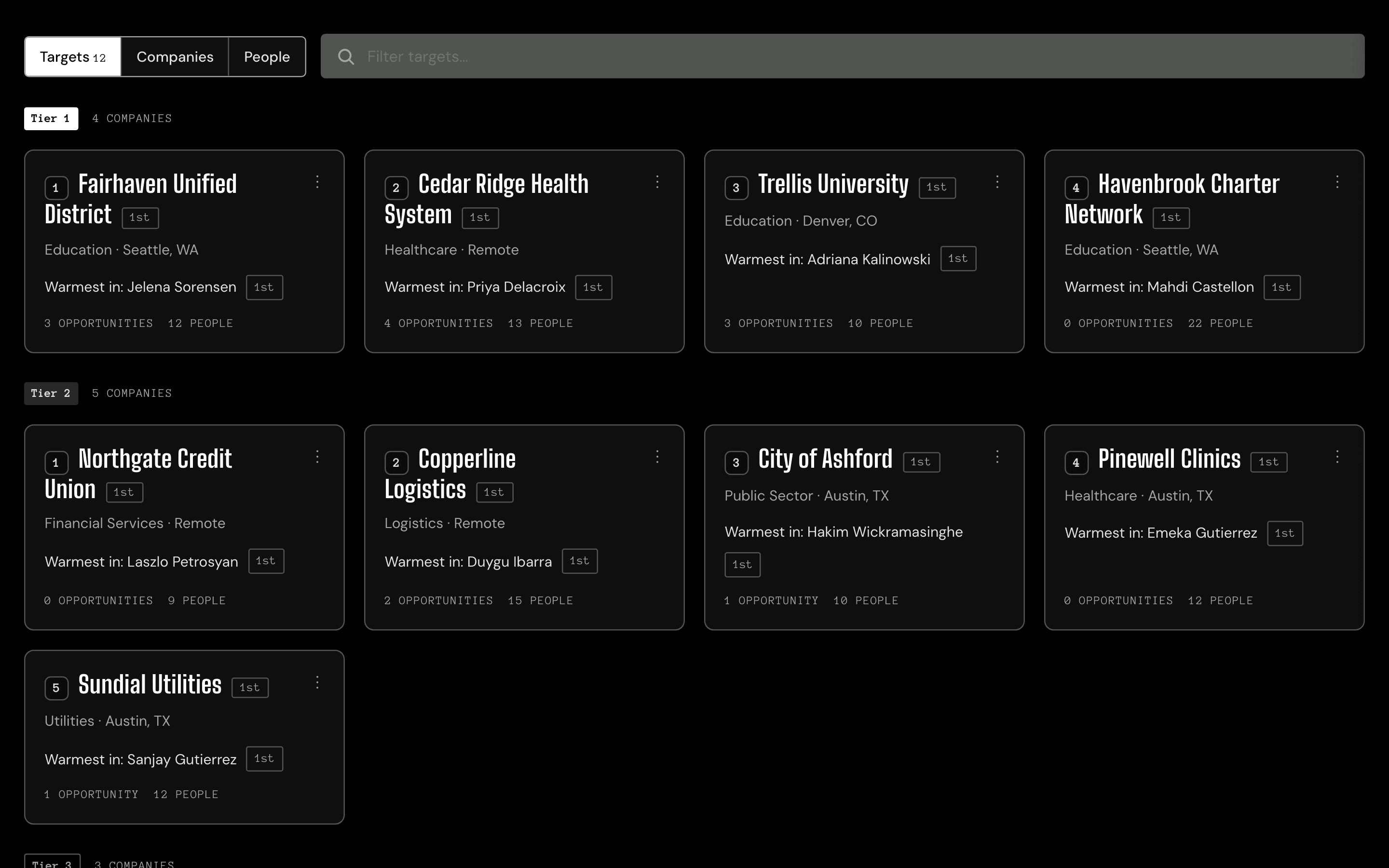
The people you know and what organizations they’re connected to.
Flag the organizations you want to reach and the Booth sweeps every contact you have against them. Connections are ordered by what your own records show of each relationship, warmest first. Your standing routine starts from your top opportunity and takes the warmest connection into it, so the right person turns up in your daily task list. The card names the person and the tie, and leaves the message to you.
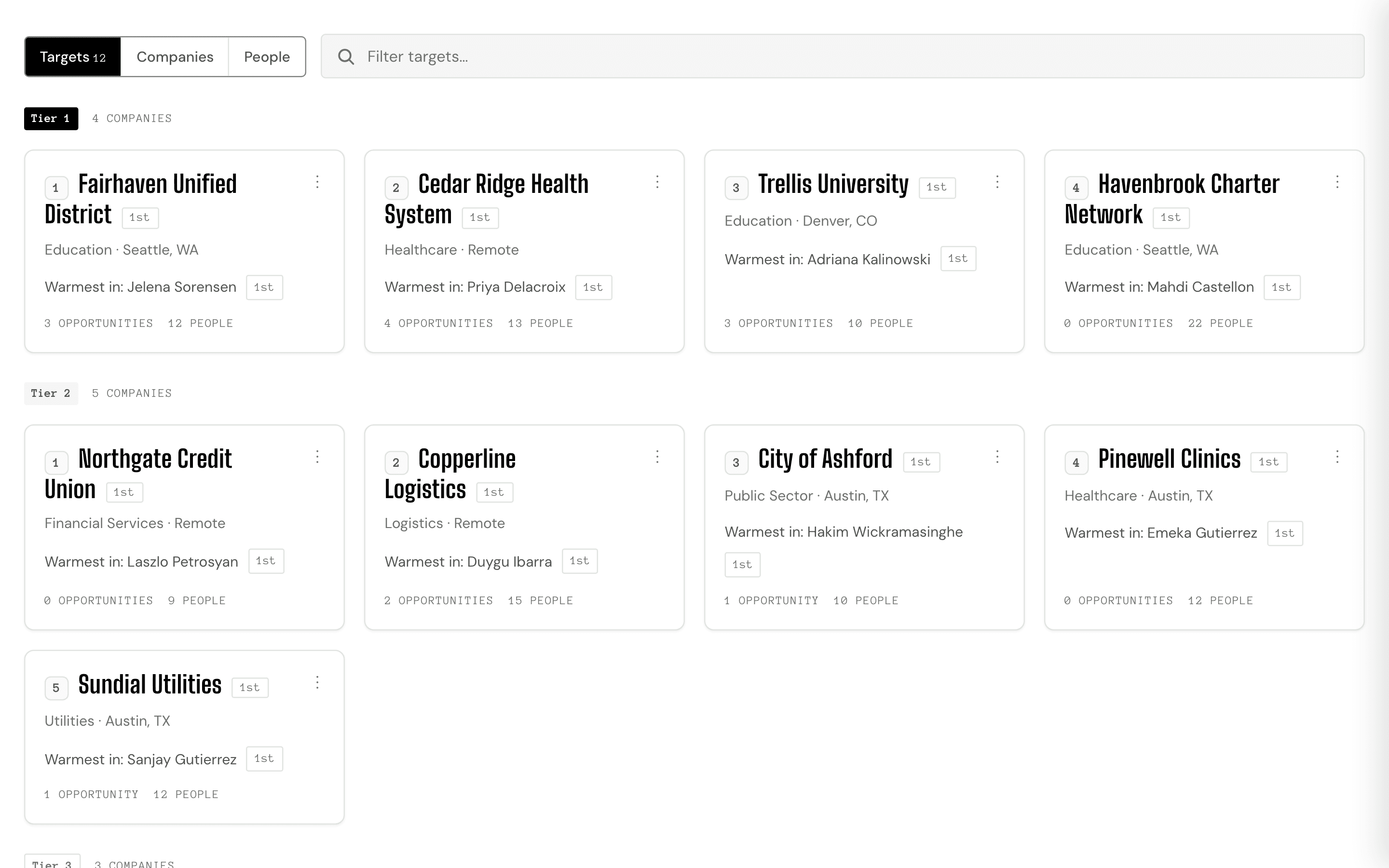
The network view on its Targets tab: each organization with its tier and the people already on file there. The pipeline
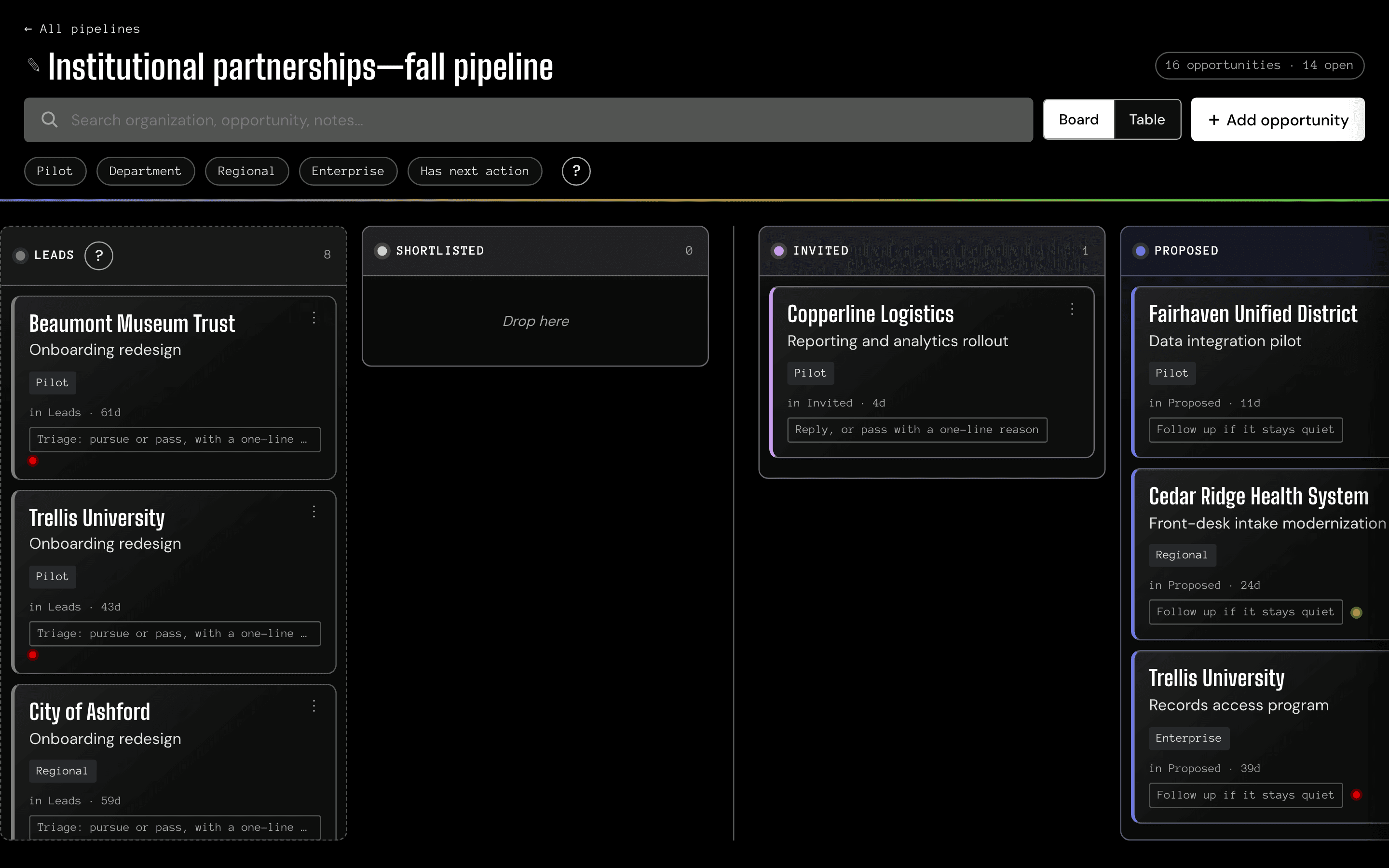
Every opportunity you are working, stage by stage, and how long each has been sitting there. Connect your mailbox and the Booth scans it for updates, so the board keeps itself current.
Work an opportunity from first contact to close, with every meeting, note, and person on its record. Mailbox updates do the rest—a loss notice closes the opportunity, and sending a reply closes the task that asked for one.
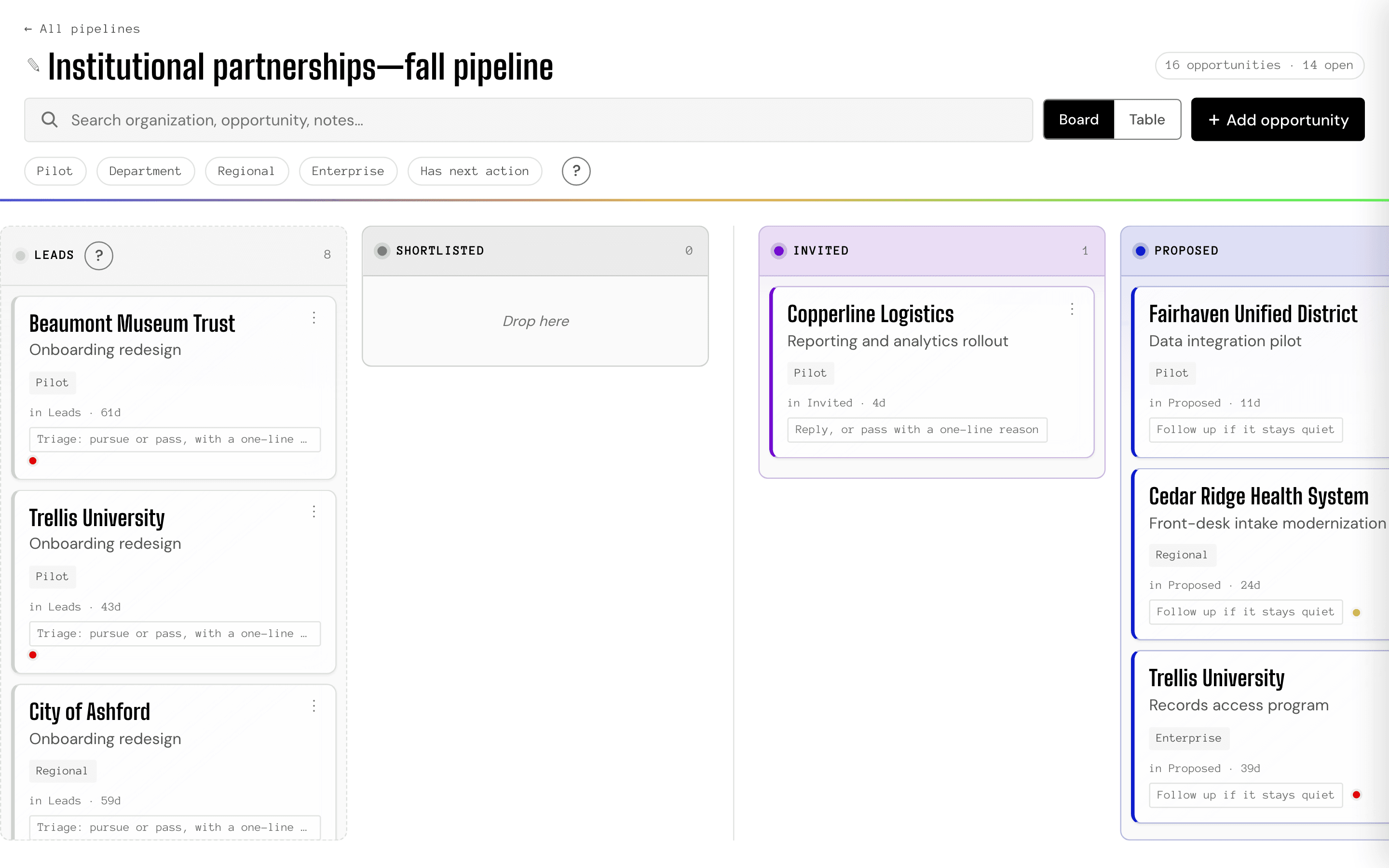
The pipeline, grouped by stage. Stage names come from a settings file, not the code. The backlog
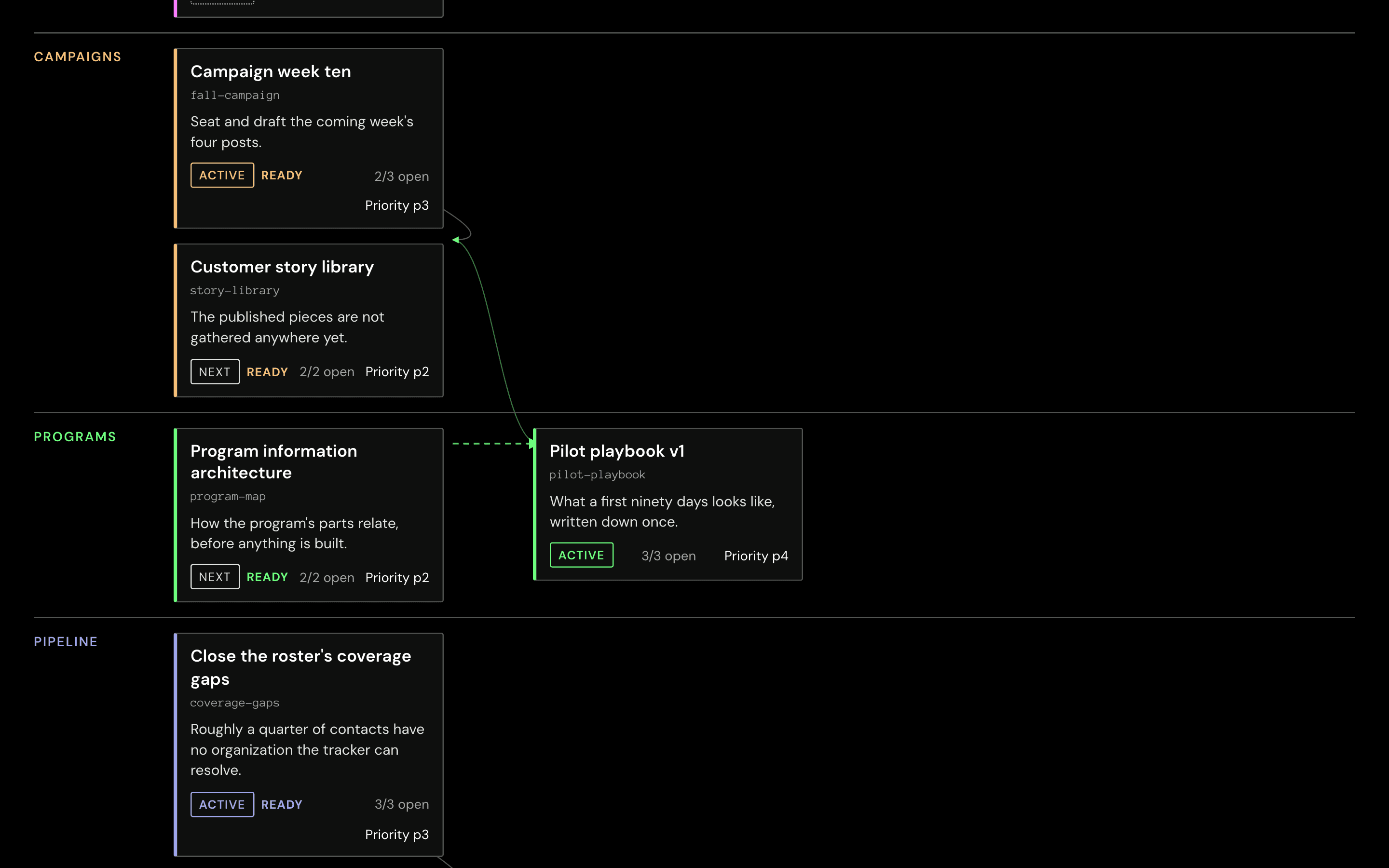
Every open initiative across every project, in one dependency graph.
Each card is one piece of work, holding the sub-tasks that finish it, and arrows run between the cards to show what is waiting on what—inside a single initiative and across all of them. It is the planning surface the others draw from.
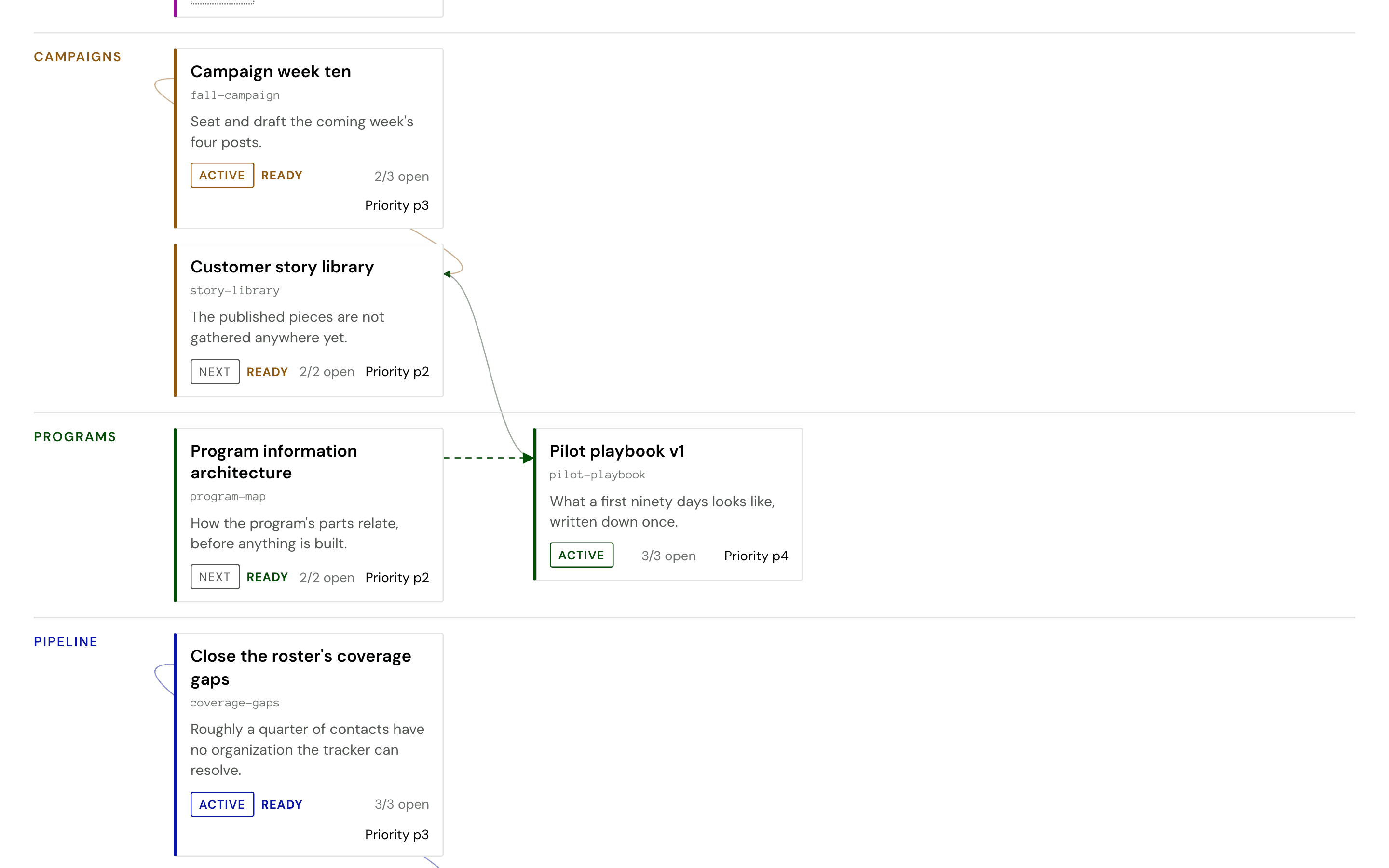
The dependency map. The first column is what is unblocked right now.
Your instance, in your own words
What you call a deal, a stage, a meeting, an introduction—each one is configuration rather than code, so an instance arrives speaking the way your team already talks.
The rules work the same way: what counts as urgent, what your daily capacity is, which kinds of work sit beside each other. The same build runs a sales desk, an admissions office, or a two-person studio, because none of that is written into the software.
Request demo access
A demo login opens the whole product, with a worked example already running in it. Ask by mail, or book half an hour for a walkthrough.
Ready for your own? Scope and rates are on the consulting page.
Already have one?
Sign in with the username and password you were sent.